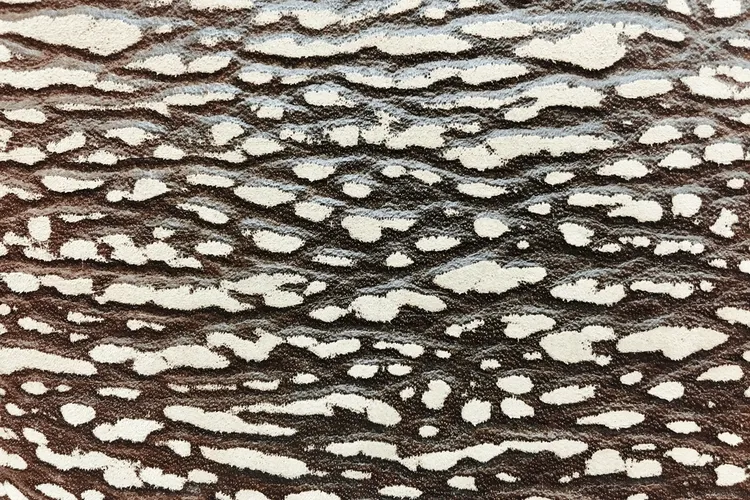
Kraft Paper Inkjet Sticker are certainly beautiful, but the challenge of "cutting" has frustrated many people. Many assume that by purchasing high-quality sticker paper and using a home printer, along with a simple cut, they can easily create their designs. However, they quickly realize that kraft paper does not behave like glossy labels.
Its coarse texture and thick material often lead to frayed edges or crooked patterns when cutting, leaving the finished product looking very "amateur." This issue is even more pronounced with kraft paper that retains its raw texture without any coating. No matter how skilled you are, the chances of failure are still high.
Why Is Cutting Difficult? The Answer Is Simple
The issue is not that your scissors are dull, but rather that the paper’s structure and the cutting method don’t match. Kraft paper has much more toughness than standard sticker paper, and if the cutting machine’s pressure is not sufficient or if it can't detect the paper's edges, it simply won’t cut properly.
Although most inkjet printers can print on this material without issue, many home devices struggle when it comes to the cutting stage. If you only need a few labels or stickers for personal projects, you might get by with a steel ruler and a utility knife. However, if you aim for alignment or mass production, hand-cutting becomes inefficient and labor-intensive.
Professional Equipment Solves Most Cutting Troubles
Many small teams creating cultural products or handmade stickers eventually opt for cutting equipment that supports thicker paper and automatic positioning. For example, machines like the GRAPHTEC CE7000 can accurately detect marking points on the sticker edges and follow a preset path for precise cutting. Regardless of the paper’s texture or reflectivity, these machines can produce stable results, with clean edges and accurate alignment.
While such equipment can be expensive, for studios that require stable output, it can save a significant amount of time and reduce error rates.
Choosing The Right Brand of Kraft Paper Stickers Is Also Important
Of course, if your budget is limited or you’re not ready to invest in professional equipment, there are alternatives. Some brands optimize their materials for easier cutting. For example, Ownlikes offers inkjet-compatible kraft paper stickers that maintain the natural feel of kraft paper but are specially treated for thickness and flatness. These stickers are less prone to curling and work well with most printers and cutting tools.
Even if you’re just using a simple utility knife, you’ll find it much easier to achieve a clean cut, significantly improving the success rate of your final product.
Tips: Test Before You Cut, Don’t Get Stuck On The "Final Step"
If you're planning to make your own kraft paper stickers, spend some time testing the paper with your equipment before you begin cutting. Even if you’re hand-cutting, it’s important to test how the paper performs with the tools.
Don’t wait until all your designs are printed only to find that the stickers won’t cut properly, wasting materials and dampening your creative motivation. Choose the right paper and pair it with suitable tools to make the whole process smoother and more satisfying.
Other Cutting Machines That Can Help Create Perfect Stickers
If you’re not planning to use professional machines like the GRAPHTEC CE7000, there are several affordable alternatives on the market that cater to various needs for studios and individuals. Below are some popular cutting machine brands and models:
Silhouette Cameo 4
This machine is highly praised for its precise cutting and versatile features. It supports automatic cutting and edge recognition, making it ideal for crafting kraft paper stickers. Its user-friendly interface and ability to handle various paper thicknesses make it a top choice for small businesses and crafters.
Cricut Maker
Another highly regarded cutting machine, the Cricut Maker can handle a wide range of materials, including kraft paper and heavy cardstock. With its powerful cutting system and precision, it’s an ideal tool for creative production. Cricut’s software and online support also offer great convenience for beginners.
Roland GS-24
If you need more advanced equipment, the Roland GS-24 is a powerful and stable cutting machine. It can handle thick paper, transparent materials, and irregular shapes, and is suitable for mass production. Whether you’re working with large batches or intricate patterns, the GS-24 can handle it all.
Graphtec CE Lite-50
As an entry-level option from GRAPHTEC, the CE Lite-50 offers an affordable price while maintaining the brand’s signature precision and reliability. It’s well-suited for home studios and small businesses, especially those working with thick papers or kraft materials.
https://vaperushx.com on July 8, 2026.